Showing posts with label Google Classroom. Show all posts

Wednesday, April 22, 2015

Two New Features in Google Classroom

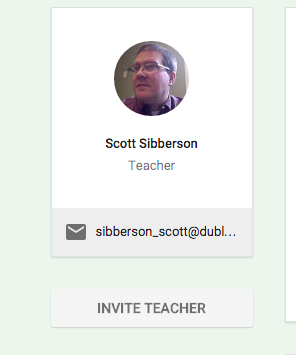
How about Google?  They definitely listen to suggestions.  They have made two really nice improvements.  First, they have added the ability to have multiple teachers in a Google Classroom.  See my previous post about getting started with Google Classroom, if you want to get going.  Now you can invite another teacher to help out.  This is great.  That teacher can do everything in the class, except delete the class.  The teacher is invited through the "About" section of the course.


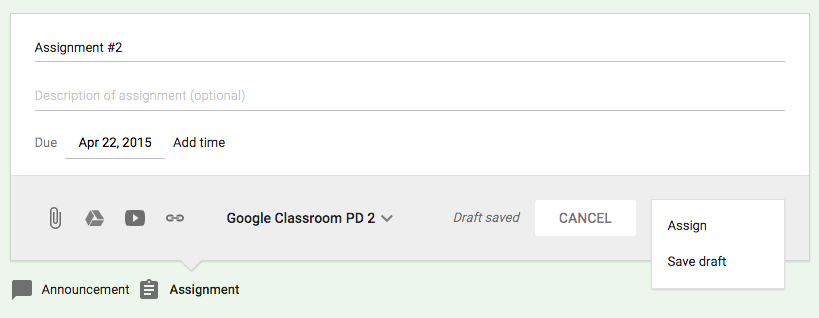
The other new feature is the ability to create announcements and assignments and save them for later.  You can create the assignment without the students seeing it.  Then, when you want them to have the assignment, you make it active.  This is an awesome feature for teachers who like to work ahead, without the students knowing what is coming.


I really give it up to Google for listening to the suggestions teachers have made.  Give Google Classroom a try, it will really help your sharing of documents with your students.

Tuesday, April 14, 2015

Getting Started with Google Classroom

This year, Google introduced Classroom as a tool for teachers in Google Apps for Education domains.  Classroom has proven to be a very helpful tool to help teachers and students work together and keep their documents organized.  Classroom is built to perform some tasks very well.  It is great at providing teachers a platform to make announcements (and other communications) to their students, distribute and collect assignments from students (with all of the great features of Google Drive), and provide an online collection of digital resources for their students to access at any time.

Google Classroom is a very nice tool for teachers to utilize.  Below is a video of how a teacher would create their Google Classroom, as well as what that classroom looks like as a student.  It will walk you through what you need to know to get started with your students.  Give it a look.


Now that you've seen it in action, you probably want to give it a try.  Go ahead!

Here are some suggestions as to how you might use Google Classroom with your students.

Share Materials - Use the “Announcement” to distribute files, Google Drive files, YouTube videos, and Links to your students. It can also share to any other classes you teach, as well.

Class Discussions - Use the “Announcement” to pose questions for class discussions. Your students will be able to reply to you and each other.

Distribute and Collect files - Use “Assignment” to distribute and collect files to your students in an organized manner. Your folder in Drive will thank you for it. It will also allow for the ownership of the file to pass back and forth with the student.

Shared editing of a file - Give the students access to edit a document with their classmates. The will be able to co-edit and create some great work. They could create a Presentation by sharing a Google Slides presentation, then each student could add a slide.

Go Paperless - Pass out and collect everything right in your classroom.

Google Classroom is a pretty awesome new tool. Google is working to make improvements, as well. I am curious to see where it ends up, but I think teachers will love it.

Wednesday, August 6, 2014

Google Classroom is Coming Soon

Got a letter from Google today stating that Google Classroom is going live the week of August 11th.  I can't wait to see what teachers can do with it.

Below are some preliminary finding about Google Classroom.


Saturday, June 21, 2014

My Google Classroom Thoughts

Over the last couple of days, I've been fortunate to be able to test drive the future release of Google Classroom.  You've seen some advertisements - click here - and you've seen some video reviews - click here.  I thought I would share my initial thought with you.

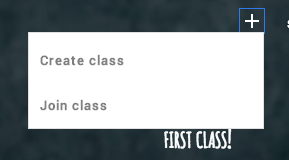
Google Classroom seems to be very intuitive in it's design and ease of navigation.  It is very easy for a teacher to create a class.  One suggestion I would have is that the teacher name each course uniquely.  If you teach multiple sections of Algebra II, you might consider combining all sections into one course or naming your courses Alg II-1, Alg II-2, and so on.  The section number you place in the name of the course does not get used in the folder creation, just the name.  Here is a picture of how easy it is for teachers or students to add a course.  When a teacher creates a course, it is assigned a course number so students can join using the course number.

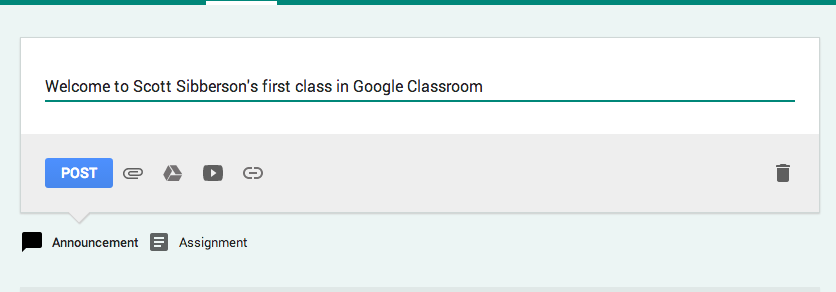
Once the students are in the course the teacher has the task of posting announcements or assignments.  This has been made quite easy.  The teacher click a selections, adds the information, and posts.  The teacher can attach files, add materials from their own Google Drive, add videos from YouTube, or add links to other websites.  See below.


When an assignment is created, Google creates a folder in the teacher's drive (an in the student) for each assignment.  The teacher's drive has a new classroom folder and inside it, a new folder for each class, and inside it, a folder for each assignment.  This helps with the organization of the teacher's documents being turned in and distributed.  Google names the folders with the course name, so pay attention to what the name of you course is - name wisely.

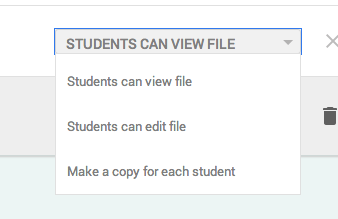
As assignments are created, the teacher will have choices as to how to give visibility of the materials. If the teacher wants each student to have their own, they can distribute copies to each student, or they can make things viewable or editable.  Google is great about ease of choice.  It is a pull-down menu right where the materials are chosen.


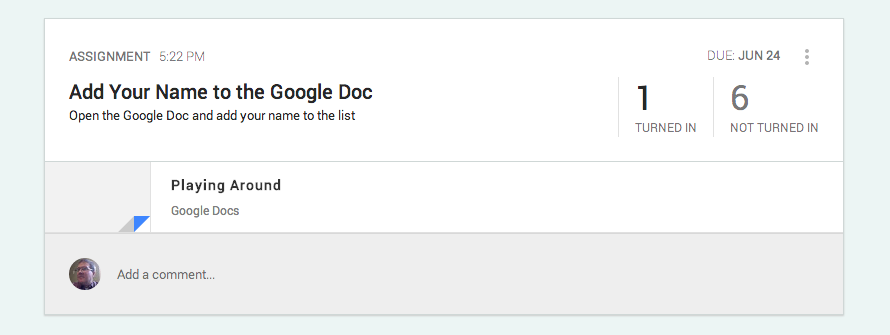
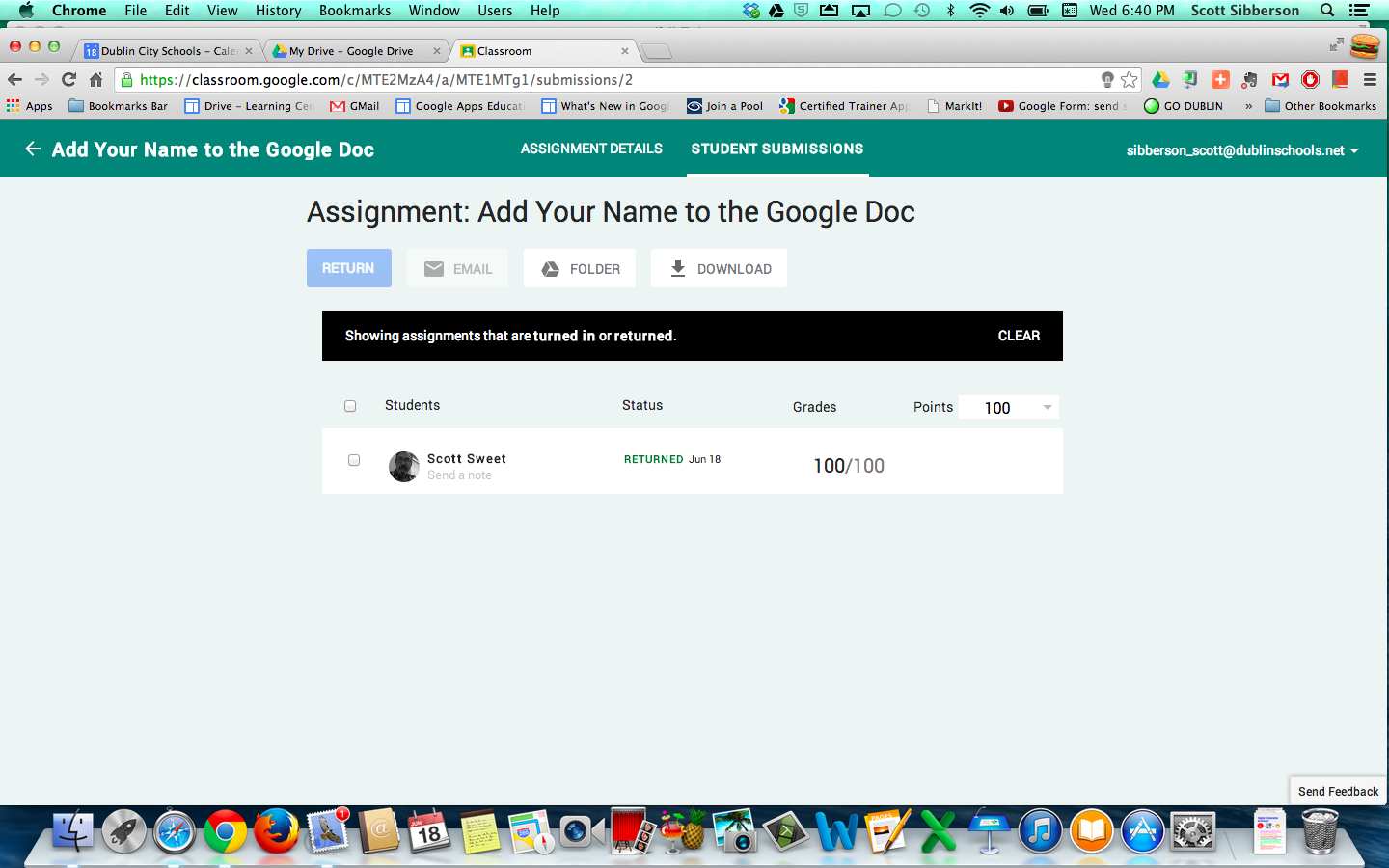
When the students do their work, they can easily submit to the teacher.  The teacher then has a an update on their class timeline, with how many have completed and how many have not, as well as, having a sheet with a list of students and their status.  This is where the teacher can add grades, comments, and email the students directly from a class roster.


There are a couple of features I'd like to see, but for organization and distribution, Google Classroom seems to be a good starting place for Google.  It is not a full LMS, it is just an straightforward way for teachers to work with students.  It is not a grade book, your grades must be moved to your current grading program.  My guess is that Google will add features and this project will grow into quite a nice, easy, and functional way for teachers to utilize Google in the classroom.  

I can't wait for this to come out in the fall.  I think teachers will find it quite useful.